Skip to content
a880 App / Slots
LIVE LOBBY

a880 — Live Tables, Slots and Cricket Markets, Funded Your Way

Deposit with Nagad, Rocket or bKash and move straight into live casino tables, slot rooms and cricket sportsbook markets — all in one place, built for Bangladesh. Access your account from any mobile browser without a separate download.

bKash Nagad Rocket
Browse games
CONTENT / 01

Games We Get Asked About Most

The lobby carries titles across live casino, slots, crash games and table games, all sourced from the six studios in our catalogue. Rather than listing every title, we want to point you to a few that reflect the range.

  • Andar Bahar Bangladesh

    A live dealer card game with rules that Bangladesh players already know. The table is available inside the Live Casino section of the lobby.

  • Crash Skyrise

    Crash Skyrise is in the Crash Games section of the lobby. The game shows a rising multiplier and one decision point: cash out before the round ends or let it run. The mechanic is straightforward and each round is short, making it well-suited to mobile sessions.

  • Roulette Livestream

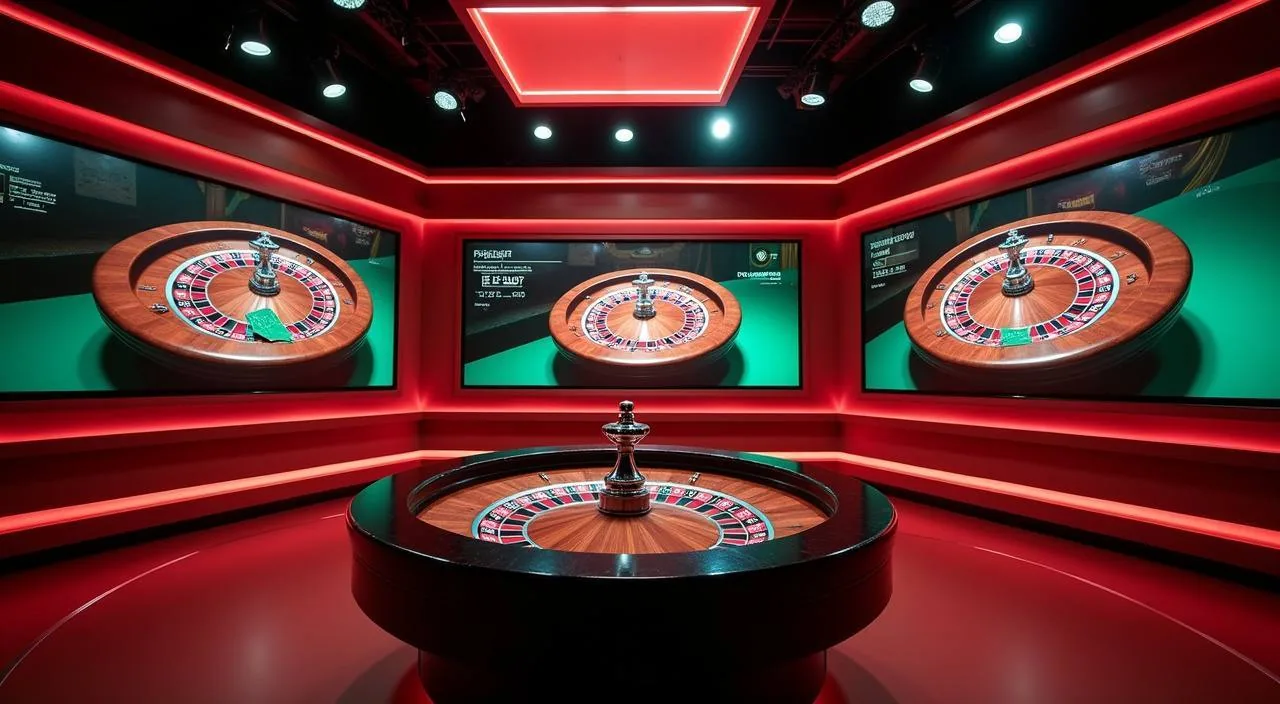
    A live roulette table running on a studio dealer feed. The game screen displays recent number history and table statistics before you join, so you can review the current session data from the lobby thumbnail. Roulette Livestream is under Live Casino in the main navigation.

ACCOUNT HELP ROUTES

How We Handle Your Questions

When something needs sorting — a pending transaction, a login issue, a question about your wallet balance — we want you to reach the right route fast. The Help section inside your signed-in account lists every available contact route, including live chat and email. When you open a request, include your registered phone number and a brief description of the issue so the support team can locate your account without asking follow-up questions. For transaction queries specifically, note the date, the approximate time, and the wallet you used — this shortens the resolution process considerably. If live chat shows a wait queue, the email route accepts the same details and the team works through submissions in the order they arrive. All communication goes through the channels shown inside your account; do not share account credentials with anyone claiming to represent a880 outside those official routes.

  • Live Chat

    Open the chat icon from any page inside your signed-in account to reach the support team directly. This route is suited for payment status queries, Nagad or Rocket deposit follow-ups, and account access questions.

  • Email Support

    Send account queries, document requests and formal complaints to the support email address listed in the Contact section of your account. Include your registered account ID and a brief description of the issue to speed up the response.

  • Help Guide

    The on-site help guide lives inside the account area and covers the most common navigation paths: adding a payment method, reading your transaction history, updating contact details and understanding account limits shown in your profile.

ACCOUNT STANDARDS

What We Keep Consistent for Your Account

Running a platform that handles real-money transactions means we hold ourselves to clear account standards — on payment processing transparency, game content sourcing, data handling and the support routes available to you. These are not marketing claims; they are the operational commitments you can check directly inside your account. Inside your account settings you will find tools that let you adjust how your session behaves over time. These controls are available at any point, not only when a problem arises, and changes you make take effect according to the timeframe displayed alongside each option. The data-handling preferences shown in your profile settings reflect the choices you made at registration and can be reviewed or updated from the same screen.

  • Transaction Transparency

    Every deposit and withdrawal you make is recorded in your account wallet history. Open the wallet section after any transaction to see the status, the payment method used — Nagad, Rocket, bKash or Upay — and the timestamp.

  • Verified Game Studios

    The slot titles and live dealer tables in the lobby come from Microgaming, Habanero, PlayStar, Bigtime Gaming, Pragmatic Play and PG Soft. These are the studios whose content we carry — you can verify which studio supplies a title by checking the game detail screen inside the lobby.

  • Account Data Handling

    Your account data — contact details, payment method records and identity verification documents — is handled according to the privacy policy published in the account area. We do not share personal details with third parties outside what the policy states.

  • Regional Eligibility

    Access to a880 and its games depends on your local law and the eligible regions set out in the terms and conditions. We do not make blanket availability claims.

LOCAL PAYMENTS

Nagad, Rocket and bKash — Your Deposit Path Explained

Adding funds to your a880 account works through the same wallet apps you already use day to day. Nagad is the primary route on this platform — to deposit, go to the Cashier section inside your signed-in account, select Nagad, enter the amount you want to add, and follow the transfer steps

  • Nagad

    Nagad is the first payment option listed in the a880 Cashier. Select it, enter your deposit amount within the range shown, and the Cashier will display the transfer details you enter into your Nagad app. Once your Nagad app confirms the transfer, the funds reflect in your a880 wallet.

  • Rocket

    Rocket deposits follow the same flow as Nagad inside the Cashier. Choose Rocket, set the amount, and complete the transfer from your Rocket app using the details the Cashier provides. Rocket is a Dutch-Bangla Bank product, so the transfer confirmation comes through your DBBL-linked mobile number.

  • bKash

    bKash is available in the Cashier under the mobile wallet options. Select bKash, enter the amount you want to deposit, and follow the send-money steps in your bKash app to the account number shown on the Cashier screen. bKash is one of the most widely used wallets in Bangladesh, so the flow will be familiar.

  • Upay

    Upay is listed alongside the other wallet options in the Cashier. The deposit process is the same: select Upay, enter an amount within the displayed limits, and send the funds through your Upay app to the number the Cashier shows. Upay transfers clear through the UCB mobile banking network.

Banking
ACCOUNT PATH

From Registration to First Deposit in Four Steps

Opening an account and making your first deposit through Nagad, Rocket or bKash follows a clear sequence. The steps below reflect what you will actually see on screen — we are not skipping the verification parts. Before you begin, make sure the phone number you plan to register with is the same number linked to your Nagad, Rocket or bKash wallet, because the platform matches those details during the verification stage. On the registration screen, fill every required field completely — partial entries will stop you from advancing to the next step. Once your account is created, go to the Cashier section before attempting anything else; this is where you confirm your wallet details are saved correctly against your profile. If the verification step asks you to approve a small reference transfer, complete that step fully before entering your intended deposit amount, as skipping it leaves the payment path incomplete.

  1. Step 1: Create Your Account

    Open the registration page and complete the required fields: mobile number, password and date of birth. Each field is validated before submission, so if something is missing or formatted incorrectly, the form tells you before you proceed. Use the mobile number linked to your Nagad, Rocket or bKash account — this makes the wallet verification step faster.

  2. Step 2: Verify Your Mobile Number

    After submitting the registration form, a confirmation code is sent to your mobile number. Enter the code on the confirmation screen to activate your account. The code expires after a short window — if it does not arrive, use the resend option shown on that screen. Account login is available once the number is confirmed.

  3. Step 3: Make Your First Deposit

    Open the Cashier from the main navigation inside your signed-in account. Select Nagad, Rocket, bKash or Upay and enter the amount you want to deposit. The minimum and maximum for each method are shown on the deposit screen.

  4. Step 4: Enter the Lobby

    Once your balance shows in the top navigation bar, the full lobby is available. Live Casino, Slots, Crash Games and the Sportsbook are all accessible from the main menu.

MEMBER DESK / 06

Offers, support and account controls

01

Game lobby

02

Payment guide

03

Support

DISCOVER / 01

Choose your game

Full lobby
GAME NETWORK
Microgaming
Habanero
PlayStar
Bigtime Gaming
Pragmatic Play
PG Soft
CONTENT / 04

a880 lobby studios

The a880 lobby carries content from Microgaming, Habanero, PlayStar, Bigtime Gaming, Pragmatic Play, PG Soft. To check the studio, rules or features of one specific game, open that game card or the published information panel.

  • Microgaming

  • Habanero

  • PlayStar

  • Bigtime Gaming

  • Pragmatic Play

  • PG Soft

MOBILE ACCESS

Full Lobby Access from Your Phone Browser

You do not need to download anything to use a880 on your phone. The full lobby — live casino tables, slots, crash games and the sportsbook — loads in your mobile browser on Android and iOS.

  • No App Download Needed

    The a880 lobby runs entirely in your mobile browser — Chrome, Firefox or Safari on Android and iOS. There is no separate app to install or update. Open the site address, sign in, and the full lobby is there: live casino, slots, crash games and sports.

  • Mobile Wallet Payments

    Depositing from mobile is straightforward because the wallet apps — Nagad, Rocket, bKash, Upay — are already on your phone. Open the Cashier inside your signed-in account, select your wallet, and the transfer steps appear on screen.

  • Bottom Navigation on Mobile

    On a phone screen the main navigation moves to the bottom bar, placing Lobby, Sports, Casino, Wallet and Account within thumb reach without scrolling. Switching between the cricket sportsbook and the live casino, for example, is a single tap on the bottom bar.

CONTENT / 03

Full Lobby Access from Your Phone Browser

You do not need to download anything to use a880 on your phone. The full lobby — live casino tables, slots, crash games and the sportsbook — loads in your mobile browser on Android and iOS.

  • No App Download Needed

    The a880 lobby runs entirely in your mobile browser — Chrome, Firefox or Safari on Android and iOS. There is no separate app to install or update. Open the site address, sign in, and the full lobby is there: live casino, slots, crash games and sports.

  • Mobile Wallet Payments

    Depositing from mobile is straightforward because the wallet apps — Nagad, Rocket, bKash, Upay — are already on your phone. Open the Cashier inside your signed-in account, select your wallet, and the transfer steps appear on screen.

  • Bottom Navigation on Mobile

    On a phone screen the main navigation moves to the bottom bar, placing Lobby, Sports, Casino, Wallet and Account within thumb reach without scrolling. Switching between the cricket sportsbook and the live casino, for example, is a single tap on the bottom bar.

GAME SPOTLIGHT

Cricket Stats Hub and Fast Register Bangladesh

Two titles in the lobby that reflect what a880 is built around for Bangladesh players. Cricket Stats Hub sits in the sportsbook section and brings live match data into a single screen alongside available cricket betting markets — IPL, BPL and international matches when they are in season.

  • Cricket Stats Hub

    Cricket Stats Hub is under Sports in the main navigation. It displays live match data and available markets for active cricket fixtures — IPL and BPL during their respective seasons, plus international matches when listed.

  • Fast Register Bangladesh

    Fast Register Bangladesh is a slot title in the Slots section of the lobby. It runs as a short-session game with a compact interface suited to mobile play. The reel layout and paytable are shown on the pre-launch screen before you start.

ACCOUNT DESK

Account information

Review current account information after signing in.

Login
PLAYER INDEX / 07

Common Account and Lobby Questions

Short answers to the questions that come up most when you are getting started with a880 or managing your account day to day. If your question is not here, the support routes in the Help section of your account can handle it directly.

Player guide and glossary
  • Which payment methods does a880 accept for deposits?

    a880 accepts Nagad, Rocket, bKash and Upay for deposits. All four are available in the Cashier section of your signed-in account.

  • Do I need to download an app to use a880 on my phone?

    No download is needed. The full lobby — live casino, slots, crash games and sportsbook — runs in your mobile browser on Android and iOS. Open the site address in Chrome, Firefox or Safari, sign in, and you have access to everything including the Cashier and your account wallet.

  • How do I check the status of a deposit I just made?

    Open the Wallet section inside your signed-in account. Your recent transactions are listed there with their status — confirmed, pending or failed — along with the payment method, amount and timestamp.

  • What game studios supply the titles in the a880 lobby?

    The lobby carries content from six studios: Microgaming, Habanero, PlayStar, Bigtime Gaming, Pragmatic Play and PG Soft. You can verify which studio supplies a specific title by opening the game detail screen inside the lobby before starting a session.

  • Is a880 available in all regions of Bangladesh?

    Access depends on your local law and the eligible regions listed in the a880 terms and conditions. We do not make blanket availability claims for all areas.

  • How do I withdraw funds back to my Nagad or bKash account?

    Open the Wallet section of your signed-in account and select Withdraw. Choose Nagad, bKash, Rocket or Upay as your withdrawal method, enter the amount within the limits shown on the withdrawal screen, and confirm.

  • Where do I find active information on my account?

    Open the Information section inside your signed-in account. Information tied to your account are listed there with their eligibility conditions, applicable payment methods and full terms. The board updates when new offers are added or expired ones close.

Full glossary
LOBBY / 02

One mobile lobby, distinct game areas

Cricket Stats Hub Sports Cricket Stats Hub Access → Roulette Livestream Live Roulette Livestream Access → Fast Register Bangladesh Slots Fast Register Bangladesh Access → Football Quickstrike Sports Football Quickstrike Access → Crash Skyrise Slots Crash Skyrise Access → Andar Bahar Bangladesh Slots Andar Bahar Bangladesh Access →
EXPLORE FURTHER / 04

Explore detailed guides

Local lobby check

QUICK ANSWERS

Frequently asked questions

More answers covering the account journey, game categories, cricket betting access and wallet verification. These address questions that typically come up after your first deposit or once you start exploring the wider lobby.

Read FAQ →
Can I bet on IPL and BPL cricket matches through a880?

Yes, cricket sportsbook markets including IPL and BPL are available on a880 during active seasons. Open the Sports section from the main navigation and look for the Cricket category. Available matches and their markets are listed when fixtures are scheduled.

What happens if my Nagad transfer goes through but my a880 wallet does not update?

First, check the Wallet section of your account to confirm whether the deposit shows as pending or failed. If it is not listed at all, wait a few minutes as transfers occasionally take a short time to reflect.

Which section of the lobby should I visit for live dealer games?

Live dealer games are under Live Casino in the main navigation. This section includes titles like Roulette Livestream and Andar Bahar Bangladesh, which run on live dealer feeds from the studios in our catalogue. Each table card in the lobby shows the current bet range and dealer availability before you join.

Do I need to verify my identity before I can withdraw?

Identity verification requirements are shown in your account settings and in the withdrawal flow. Some withdrawal methods or amounts may trigger a verification step; the Cashier will display this requirement before you confirm the withdrawal. Verification typically involves submitting an identity document through your account.

What is the difference between Crash Skyrise and the slot games in the lobby?

Crash Skyrise is a crash game, not a slot. It runs on a single mechanic: a multiplier rises from the start of each round and you decide when to cash out. Each round ends when the multiplier crashes.

Can I use Upay if I have not used it on a880 before?

Yes, Upay is available in the Cashier alongside Nagad, Rocket and bKash. If it is your first time depositing with Upay on a880, the Cashier may prompt a wallet verification step before showing the transfer details. This links your Upay account to your a880 wallet record.

How does the bottom navigation work on mobile and what does each tab do?

On a mobile browser, the main navigation appears as a bottom bar with five tabs: Lobby, Sports, Casino, Wallet and Account. Lobby takes you to the full game catalogue home screen. Sports opens the sportsbook including cricket markets.

Are there any game categories in the lobby besides slots and live casino?

Yes — the lobby also includes crash games and table games alongside slots and live casino. Crash Skyrise is in the Crash Games section. Table games cover variants like standard roulette and card game formats separate from the live dealer feed. The sportsbook is a distinct section covering cricket, football and other available markets.

READY WHEN YOU ARE

a880 game lobby

Access may be available only where local law permits.

Register Login